Features
Built for how a diocese works.
Mass, confession, funeral, and wedding scheduling software built specifically for how a Catholic diocese actually operates — not a generic staff scheduler retrofitted for clergy.
The essentials
Three things every diocese needs.
Flexible coverage matching
Every pastor sets their own travel radius. When a Mass or confession needs a sub, Clergy Connect finds every priest close enough to reasonably get there and emails them all at once. Prefer a wider net? A diocese can send to everyone, or only to substitute-only priests — no one has to guess who might be free or start working a phone tree.
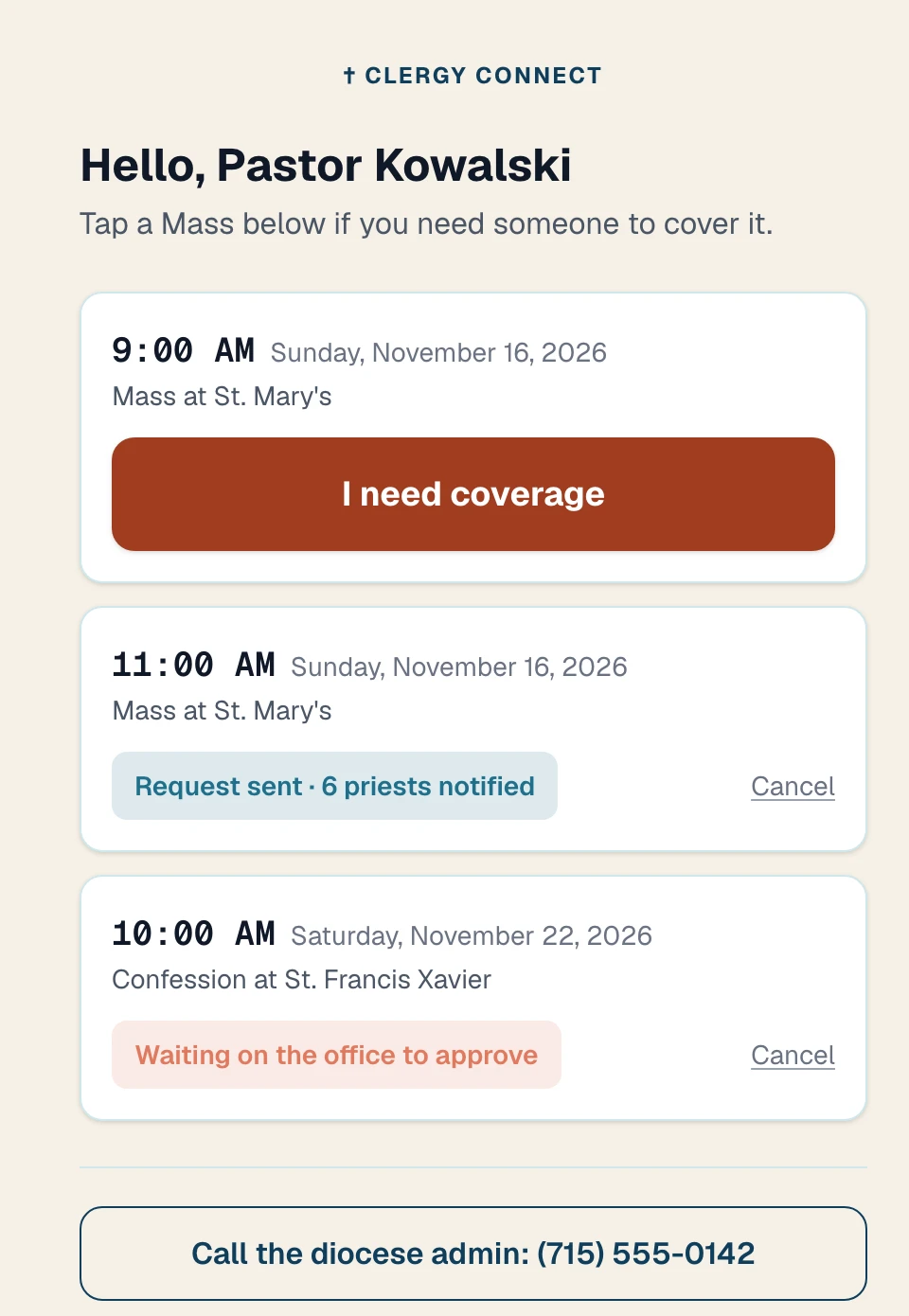
No login needed
Quick Link — no login required
Not every priest wants another login to remember. Quick Link gives each pastor a permanent, personal one-tap page — bookmark it, print it, or scan a QR code — to request or claim coverage without ever signing in.
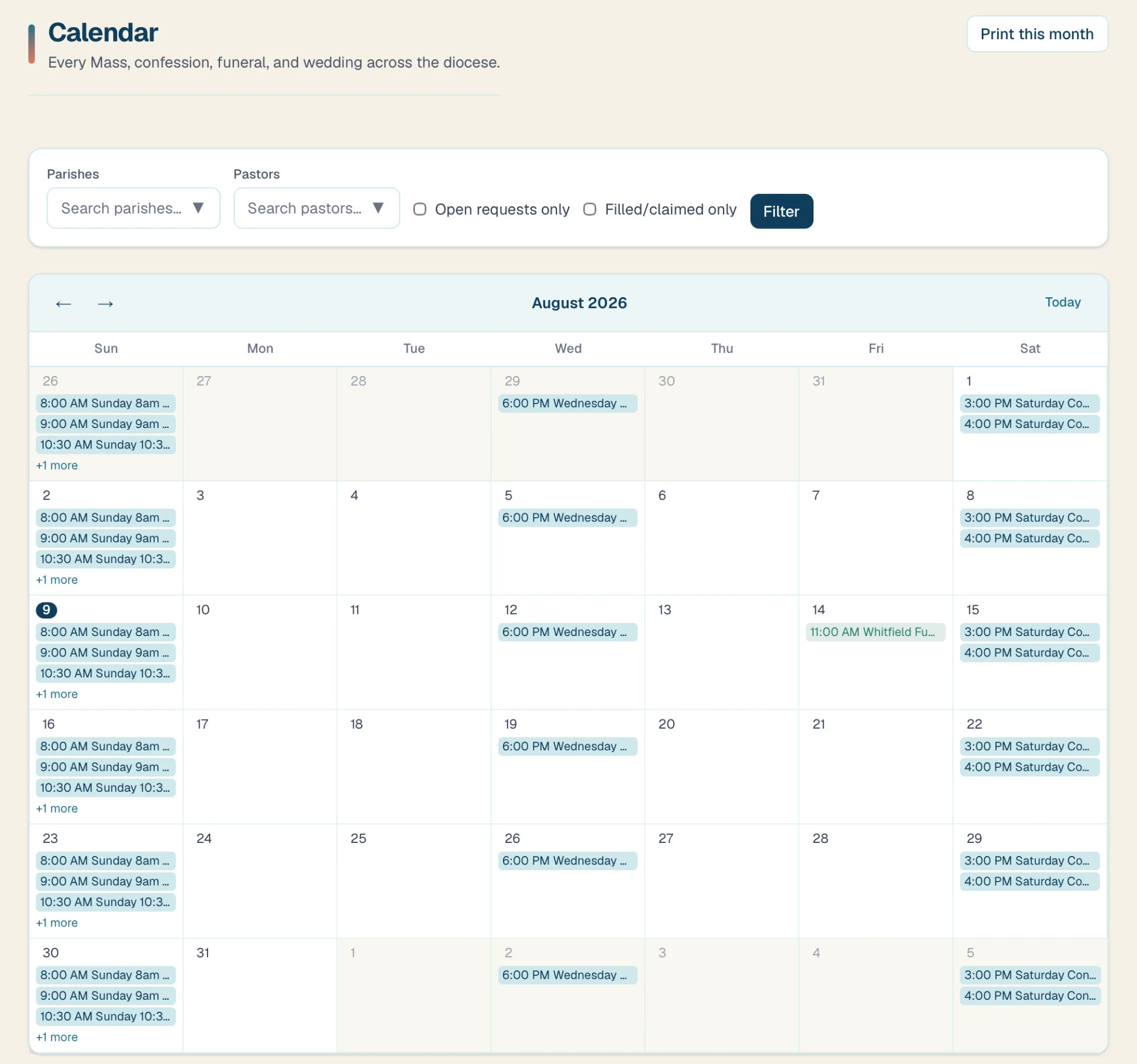
Always up to date
One shared calendar, map, and print view
Every Mass, confession, funeral, and wedding across the diocese lives on one wide, easy-to-read calendar, filterable by parish or pastor, plus a map view showing every parish and its assigned clergy at a glance. Print any month for a bulletin or binder in one click.
And everything around it
Built for the people who keep it running.
The tools pastors and the diocesan office reach for every week.
Multi-parish and multi-role support
Clergy serving more than one parish list every home parish, and matching always uses whichever is closest. Pastors and diocesan staff each get a role built around what they actually need to do, from covering a Mass to approving requests diocese-wide.
Auto-approval and direct assignment
Not every request needs a human in the loop. Turn on auto-approval for specific types — confessions, for instance — while funerals or weddings still route through the diocesan office. Or skip the broadcast entirely: assign a specific pastor directly, even when submitting a request on someone's behalf by phone.
A notification sequence you design
Build the exact flow for an open request: who hears first, then follow-up reminders after however many hours you choose — to the same group, everyone, or substitute-only priests — and an alert to the diocesan office and the requester if it's still unfilled. Runs automatically, every hour.
Spreadsheet import and export
Migrating off a spreadsheet or a paper binder is the biggest worry for most dioceses switching schedulers. Download your users, parishes, or schedule as a spreadsheet, edit it in Excel or Google Sheets, and upload it back. You see every change before it's saved, and no one is emailed unless you choose.
Reports, an email log, and an admin audit log
See fill rates, average time-to-fill, which parishes generate the most requests, and who's covered the most Masses — plus a full log of every email sent and every admin change, so the diocesan office always has an answer for who did what and when. Choose how long logs are kept.
Same-day conflicts, handled
When a priest accepts a request that clashes with something they already have, they choose: keep both, or step off specific commitments for just that day. Other priests scheduled on that Mass are told, and the Mass comes back automatically if the request is cancelled — a real fit for parishes with two priests on the same Mass.
Clergy directory and direct contact
The priest covering and the priest who asked see each other's email and phone number as soon as a request is filled, to sort out details offline. A diocese can also switch on a searchable clergy Directory for everyone signed in.
Substitute-only priests
Mark priests who have no parish of their own as Subs only. They set a home city to measure their travel from, and your notification sequence can target them first or as a follow-up.
Email preferences and digests
Each admin decides how they hear about approvals and unfilled requests — right away, a daily digest, or a weekly digest — at a time in the diocese's own timezone. A plain-language list explains every email Clergy Connect sends.
Tools that save support calls
Admins can sign in as a pastor to help someone who can't get in, resend welcome emails or turn them off while preparing a roster, and add a personal message to every welcome email. Long lists open in popups so nothing gets cut off.
Built for every device and every clergy member
The entire site works in any mobile browser with no app to install, supports English, Spanish, and Hindi, and offers larger text and dark mode for clergy who need them — because a scheduling tool only works if everyone can actually use it.
See it running your diocese.
Send me a note and I'll help you get set up. Nothing is billed until you're ready to go live.